

The other lane: uploading a document
Most documents are not composed. They arrive. A supplier emails a PDF; someone photographs a receipt. That is the upload lane, and it joins the golden path at the same intake queue, with the same two gates.Put the file on the Clerk’s desk
From the landing, open the Clerk - from the Chat with picker, the agent roster, or the Upload card under Apps, which goes straight there. Its workspace has three tabs; Upload is the one that starts an intake. There are two drop zones, and picking the right one is the only decision you make.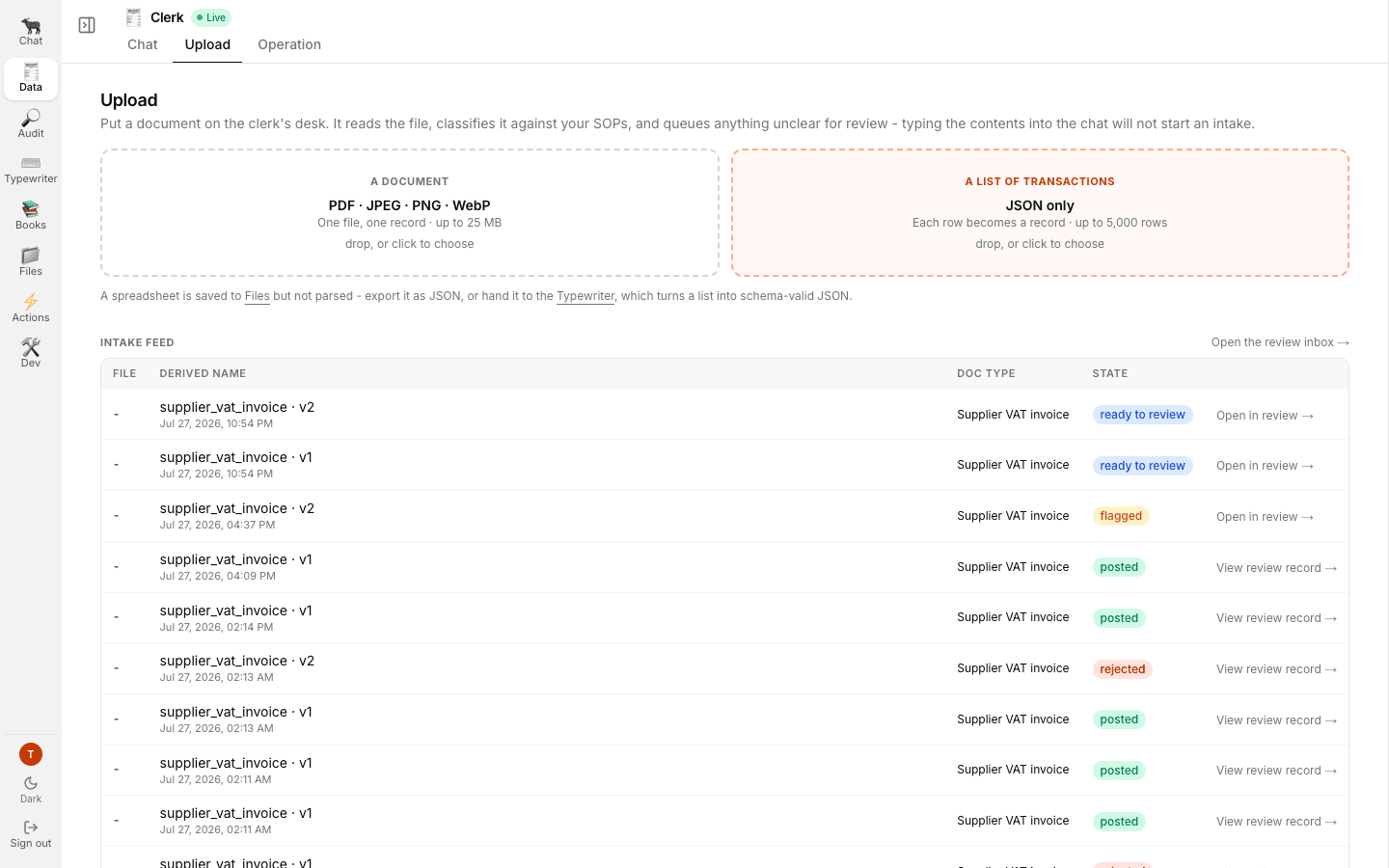
The Clerk's Upload tab. Two typed drop zones above, the live intake feed below.
A spreadsheet is stored in Files but not parsed.
Export it as JSON for the list lane, or hand it to the Typewriter, whose job is turning a list
into schema-valid JSON.
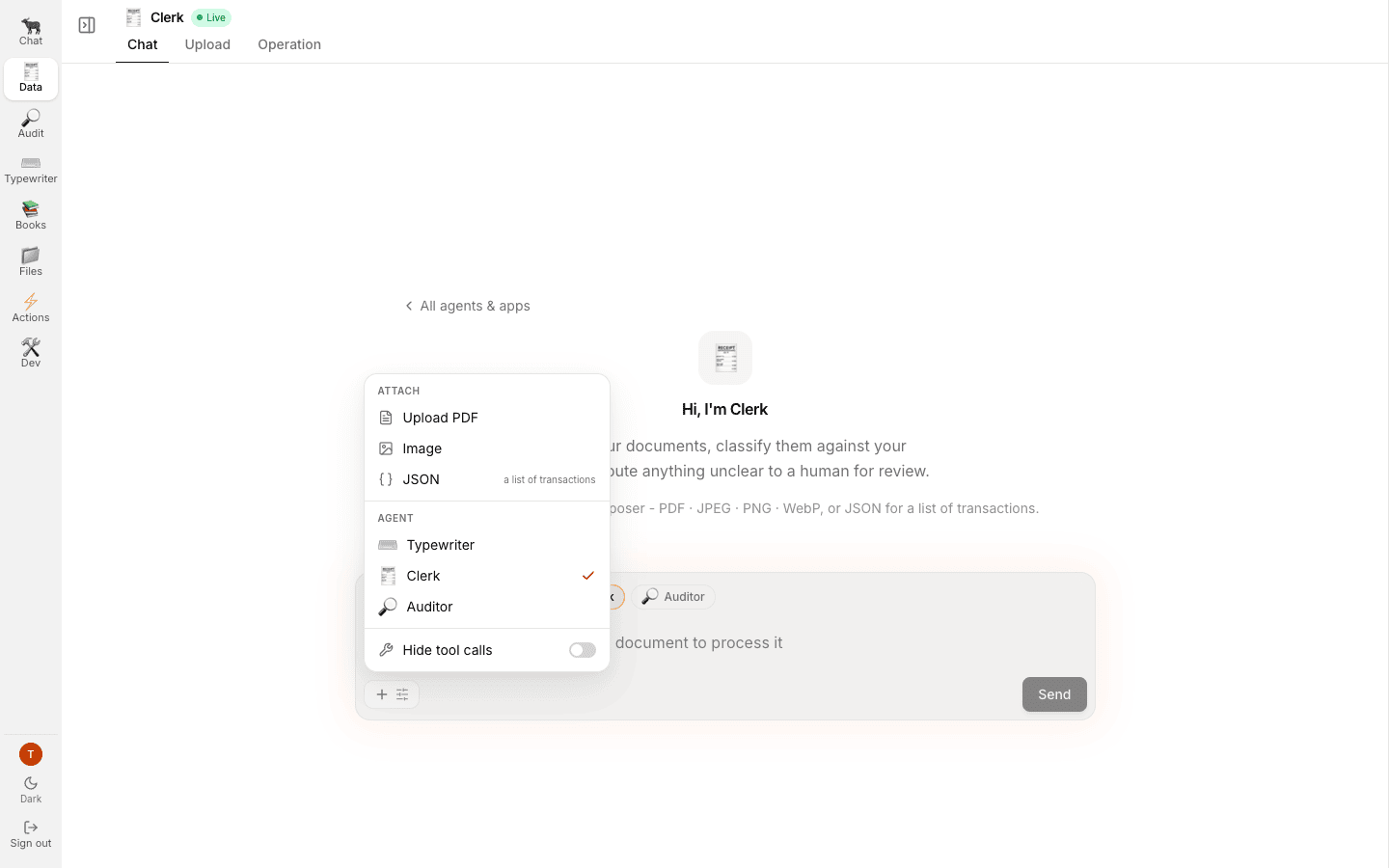
The composer menu: attach, switch agent, hide tool calls, in one place.
Read what the Clerk did with it
The Clerk replies with what it decided and, crucially, what it was not sure about. It states the classification, how many items it flagged, who it staged the row for, and the status it left it at. Then it stops.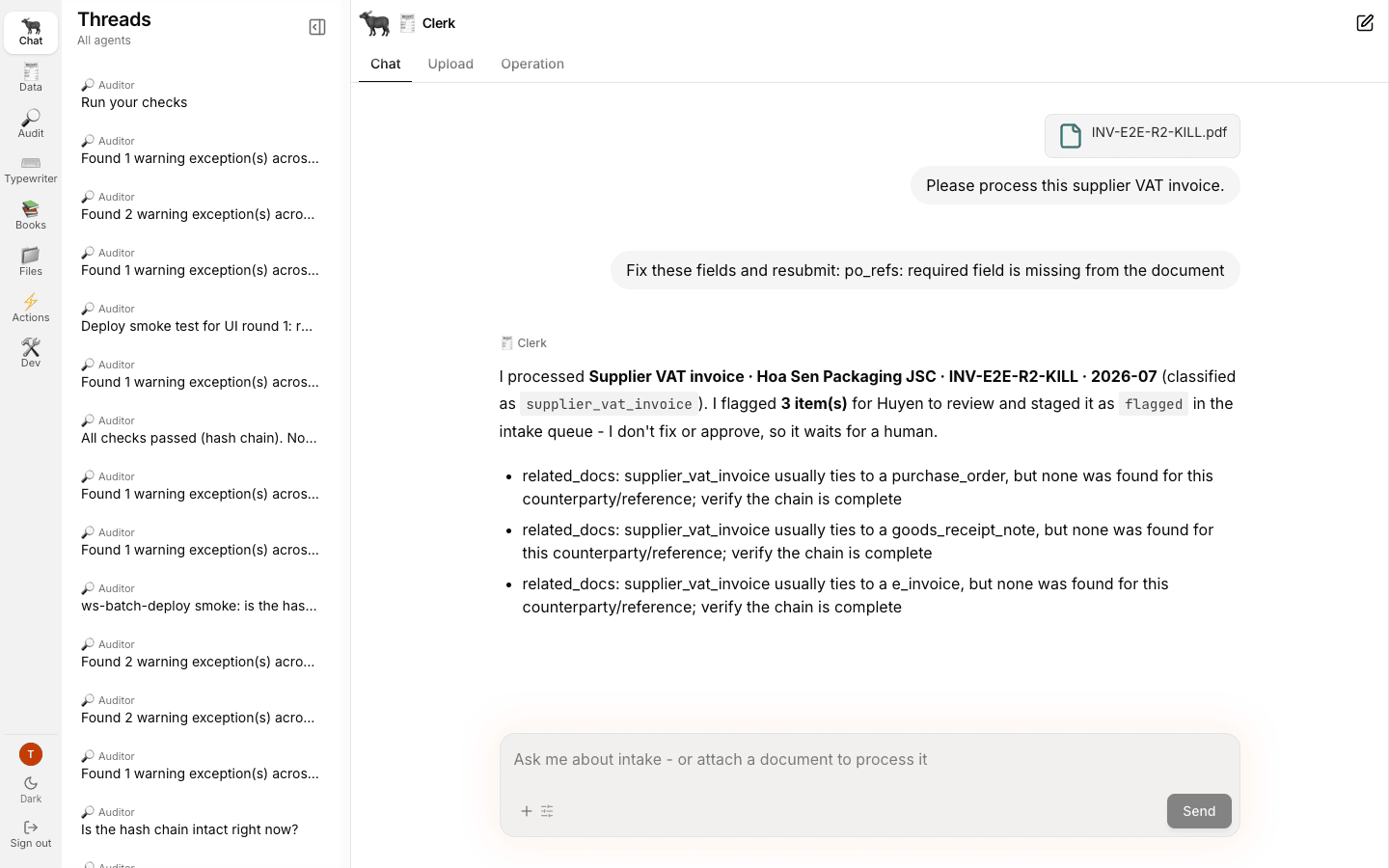
An upload-lane conversation. PDF attached, classified as supplier_vat_invoice, 3 items flagged, staged as flagged in the intake queue.
“I don’t fix or approve, so it waits for a human” is the Clerk describing its own boundary accurately.
It never edits a document and it never approves one.
Its whole job is to read, classify, link, check for duplicates, and name what it could not settle.
What just happened underneath
The Clerk is a LangGraph graph in its own lane. It classifies the document against your SOPs, extracts the fields the document type declares, links related documents, checks for duplicates against the existing queue, and stages a row. Two properties are worth knowing. It writes to the queue, never to the ledger. There is no path from the Clerk to a journal entry that does not pass through both gates. Confidence is calibrated, not decorative. On a legible document the Clerk’s field confidences run high. On a degraded fax they drop, and when they drop far enough the money fields come back empty rather than guessed and the document is flagged. A blank field you can see is worth far more than a plausible number you cannot check.Watch it land, without leaving the tab
Under the drop zones, the intake feed fills in as the Clerk works: the file, the derived name it gave the document, the doc type it decided on, and the state it left the row at. The link at the end of a row says whether there is anything left to do: Open in review → while the row is still actionable, View review record → once it is posted or rejected. There is an Open the review inbox → link above the table too. They all go to the same place, because the feed is a view onto the queue rather than a second queue.Then continue exactly as before
Go to Books → Review. Rows drafted byclerk sit alongside rows drafted by typewriter in one inbox, with the same tabs and the same two gates.
From here the path is identical to gate 1 onwards.
One difference worth knowing.
A flagged row can be sent back to the agent for another extraction pass.
A Typewriter-composed row, which arrives unflagged, cannot: there is no agent extraction to redo.
See Working the review inbox.
Where uploaded files are listed
Files in the left rail is every file stored in GreatBook, including the ones intake does not parse: the file, where it came from, who uploaded it, its size, when it arrived, its status, and the classification the Actions pipeline gave it. You can also drop files here directly - any business file up to 25 MB, whether or not the Clerk can read it, because this page stores rather than parses. The Timeline view includes direct and chat-borne uploads in newest-first order. The Folders view keeps unfiled evidence visible at the root and reports the read-only Drive reconciliation state separately from GreatBook’s canonical upload record. See Files: Timeline and Folders for the two views and their unavailable states.Actions: the work an agent says needs a person
Actions is the run ledger for agentic work, including failed, blocked, stale and legitimate no-change outcomes. It is separate from Audit → Actions, the human worklist over Assurance findings. See Actions agent-run inbox for the distinction.Related
- 4 · Gate 1, the intake approval - where this lane rejoins the golden path
- Working the review inbox - reject, send back and revise
- Known rough edges
- Upload to posted journal entry - every artifact, store, identity, refusal and human gate