

Refusals and revisions
The distinguishing screens are the ones where GreatBook declines to act and tells the user why. This walkthrough shows only the controls reached on the current local default branch.An empty document does not enter the system
The live preview can render an empty schema while the user is composing. Save is a different operation, and it refuses an untouched document.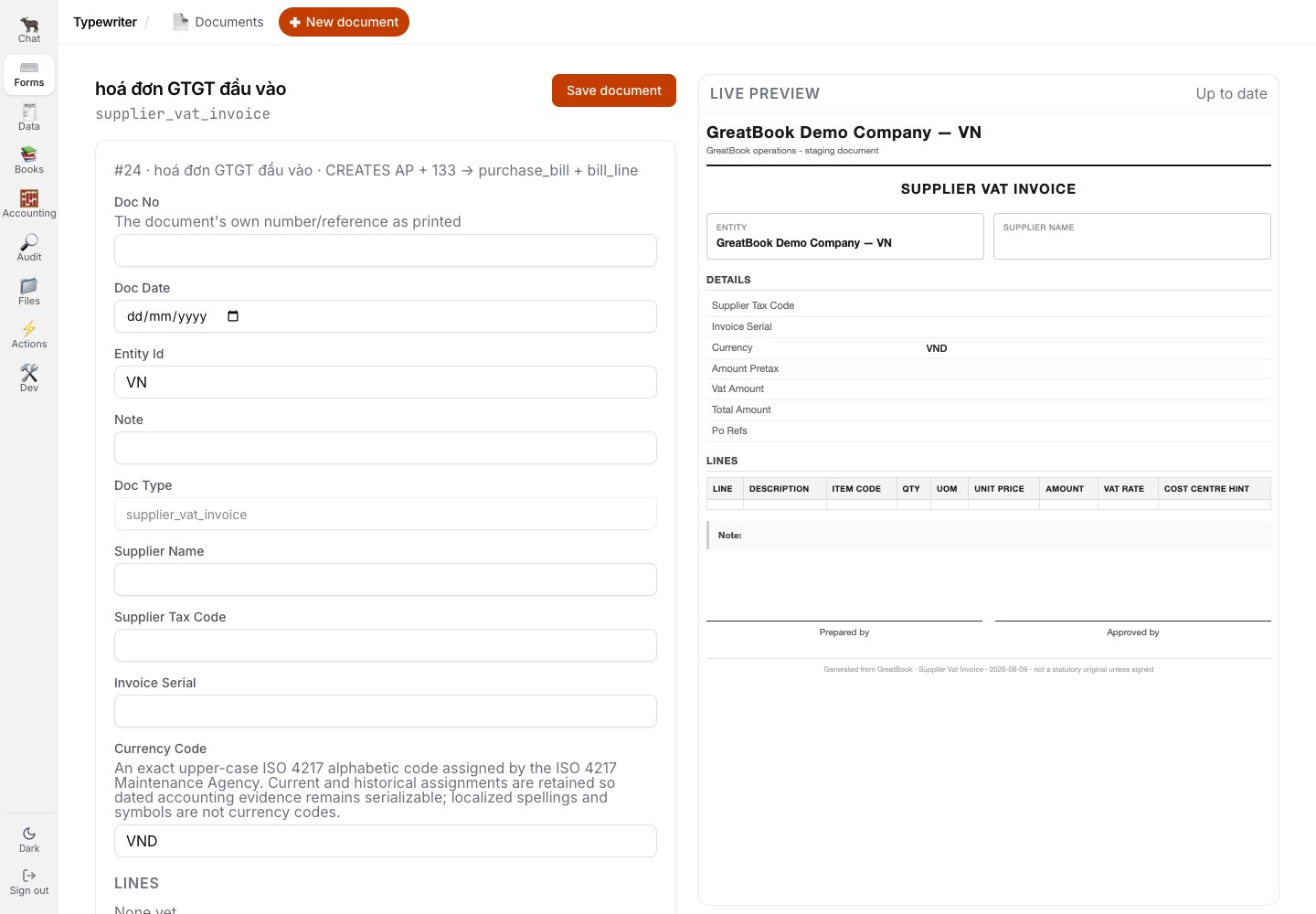
The empty builder is useful as a preview, but it is not yet a document of record.
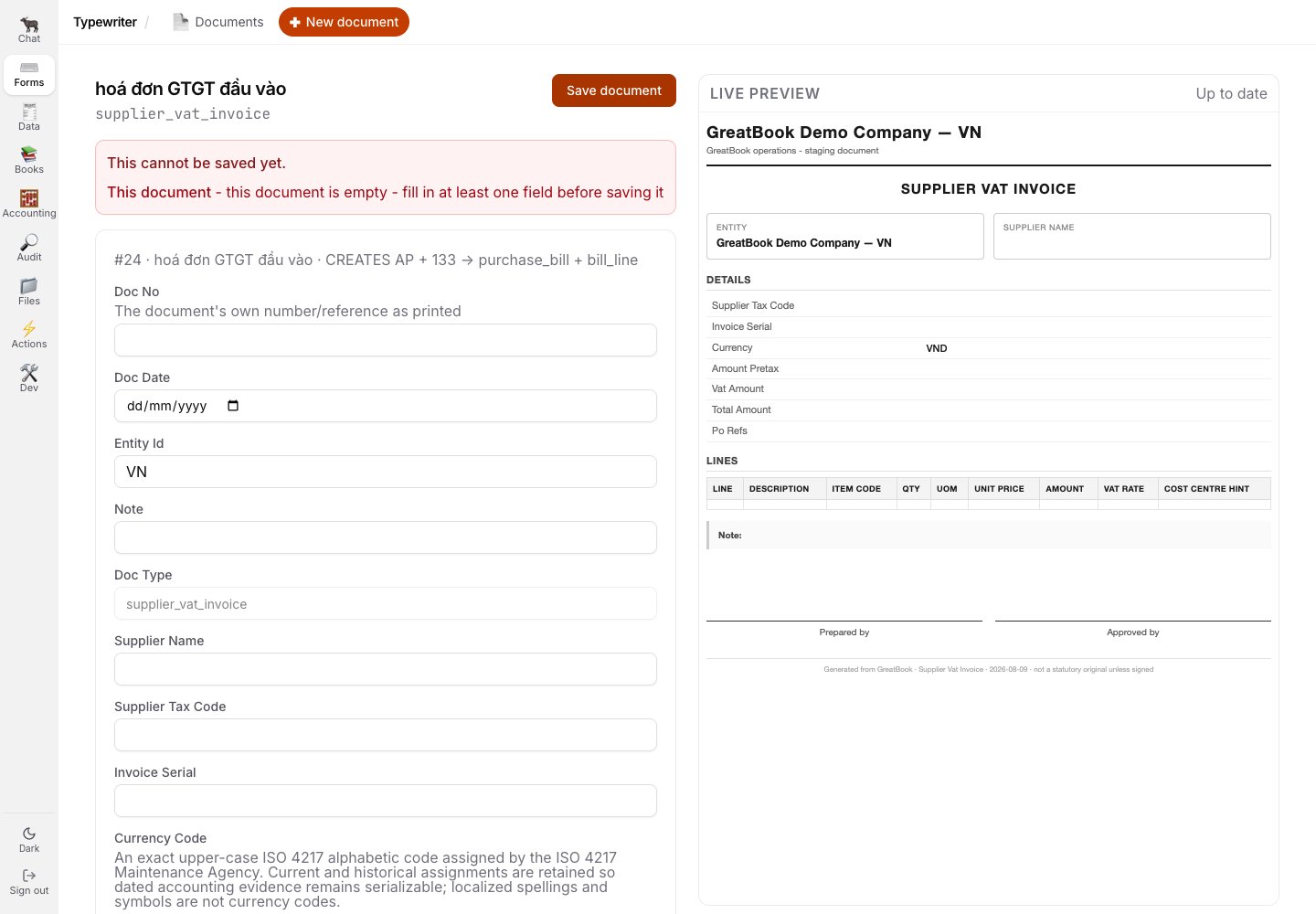
Save is refused in place with a legible reason: fill in at least one field.
The maker cannot approve
After save, the author can inspect the rendered PDF and exact stored values. The same page states the separation-of-duties rule and does not offer a usable approval action to the author.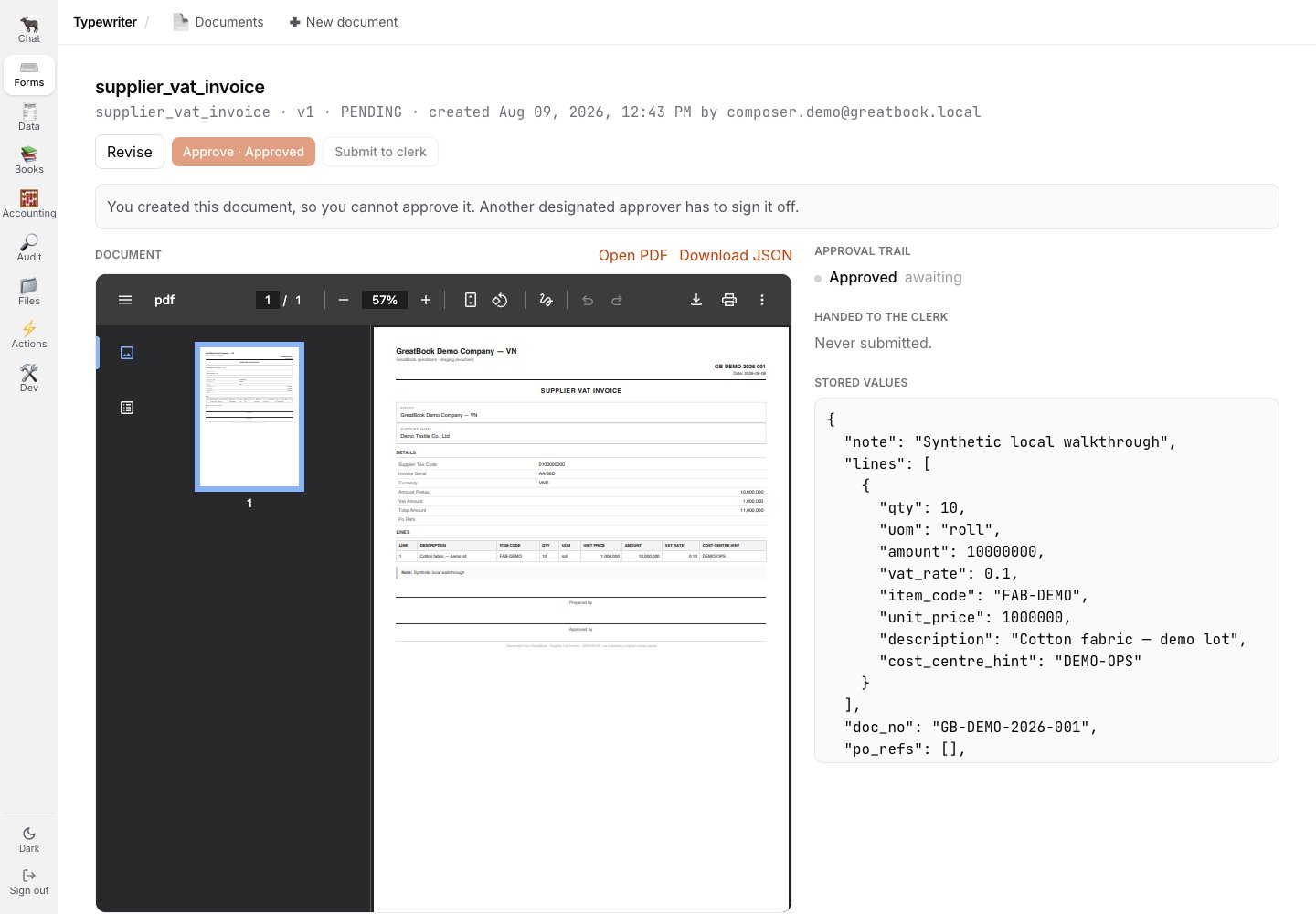
The maker's own document says why another designated approver must sign it.
A correction is a new version
Revise does not overwrite the document that existed. It reopens the same schema with the v1 values, saves a new v2, and preserves both in the version history.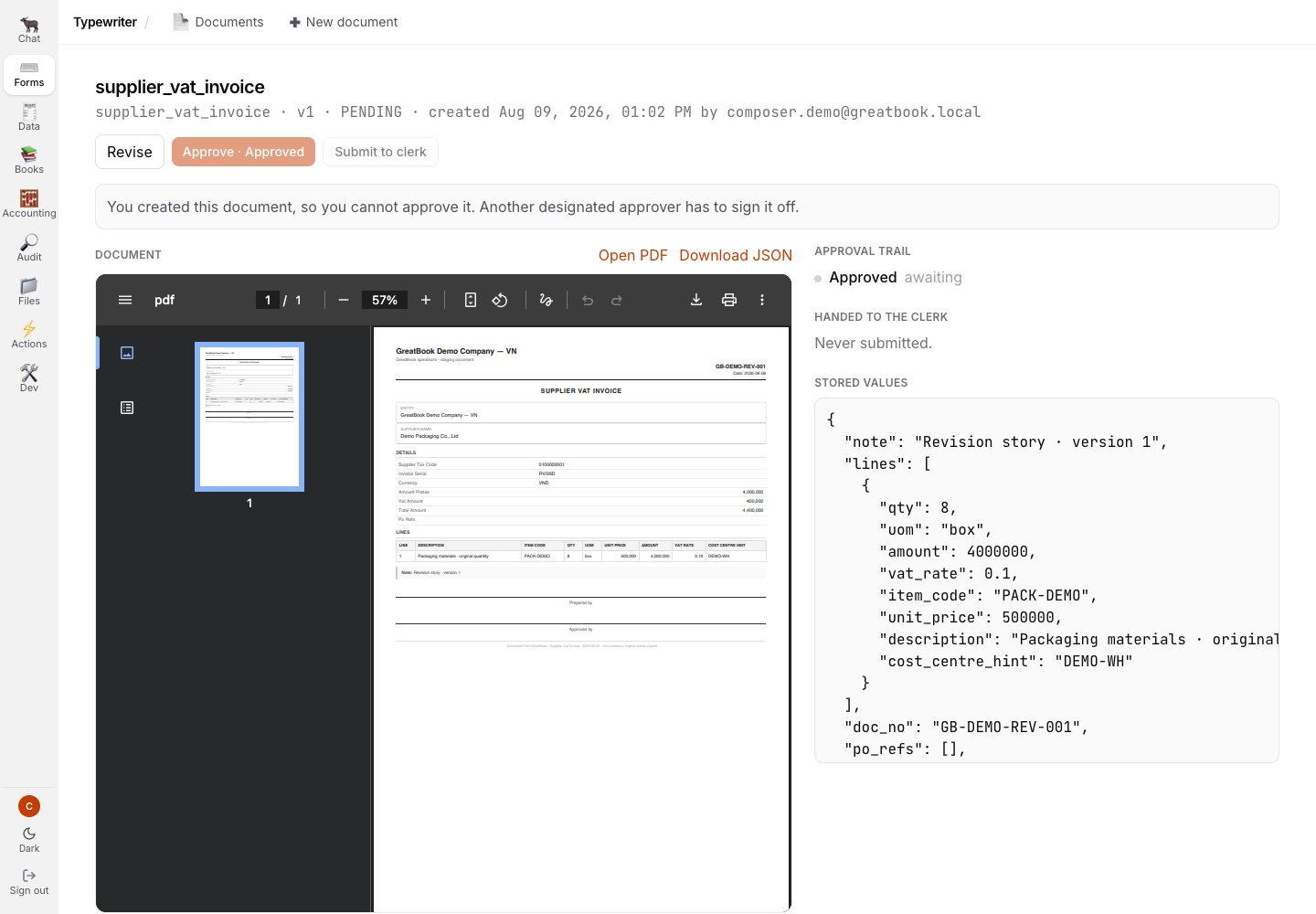
The original v1 remains a complete document of record before the correction begins.
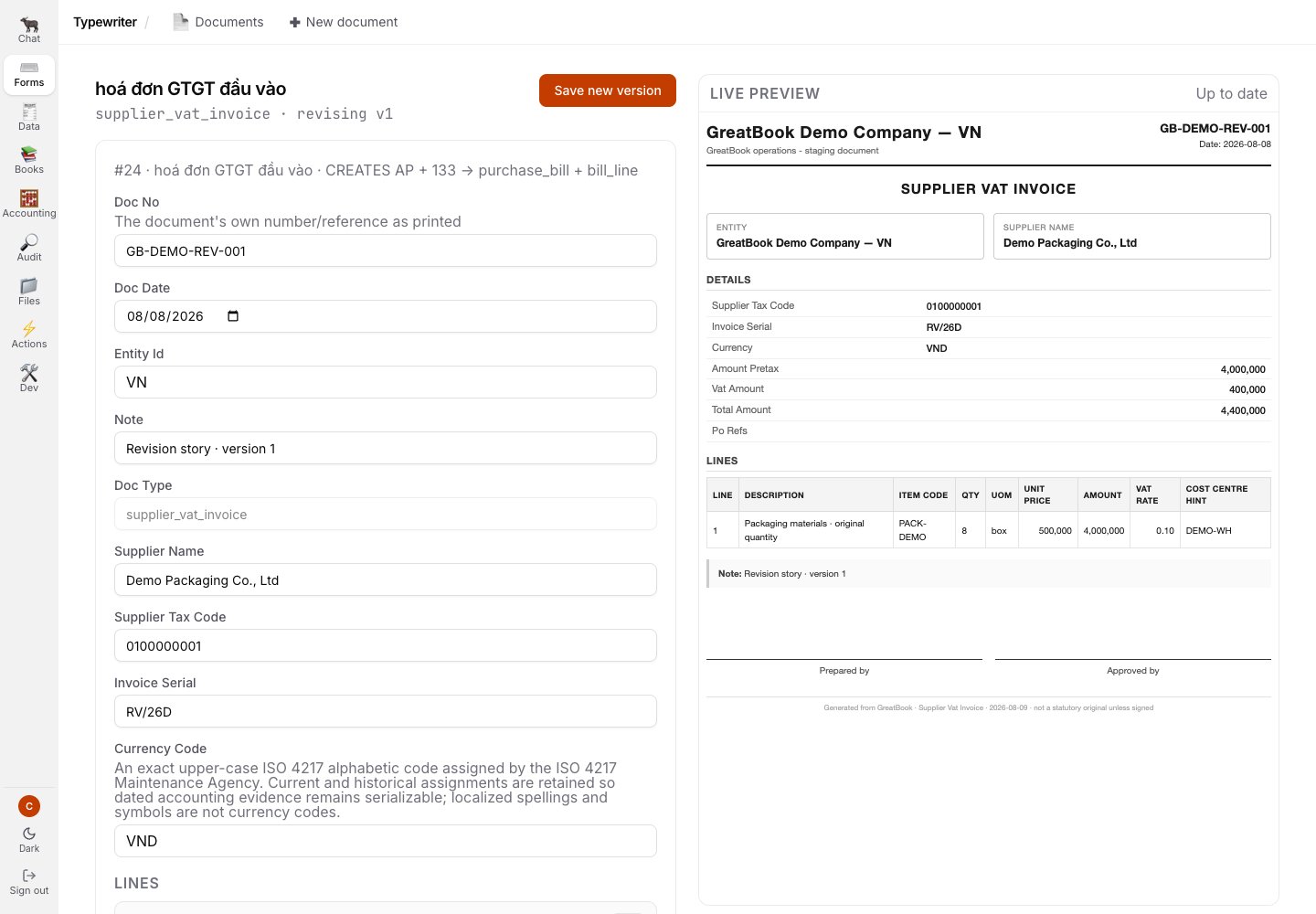
Revise opens a prefilled builder headed revising v1.
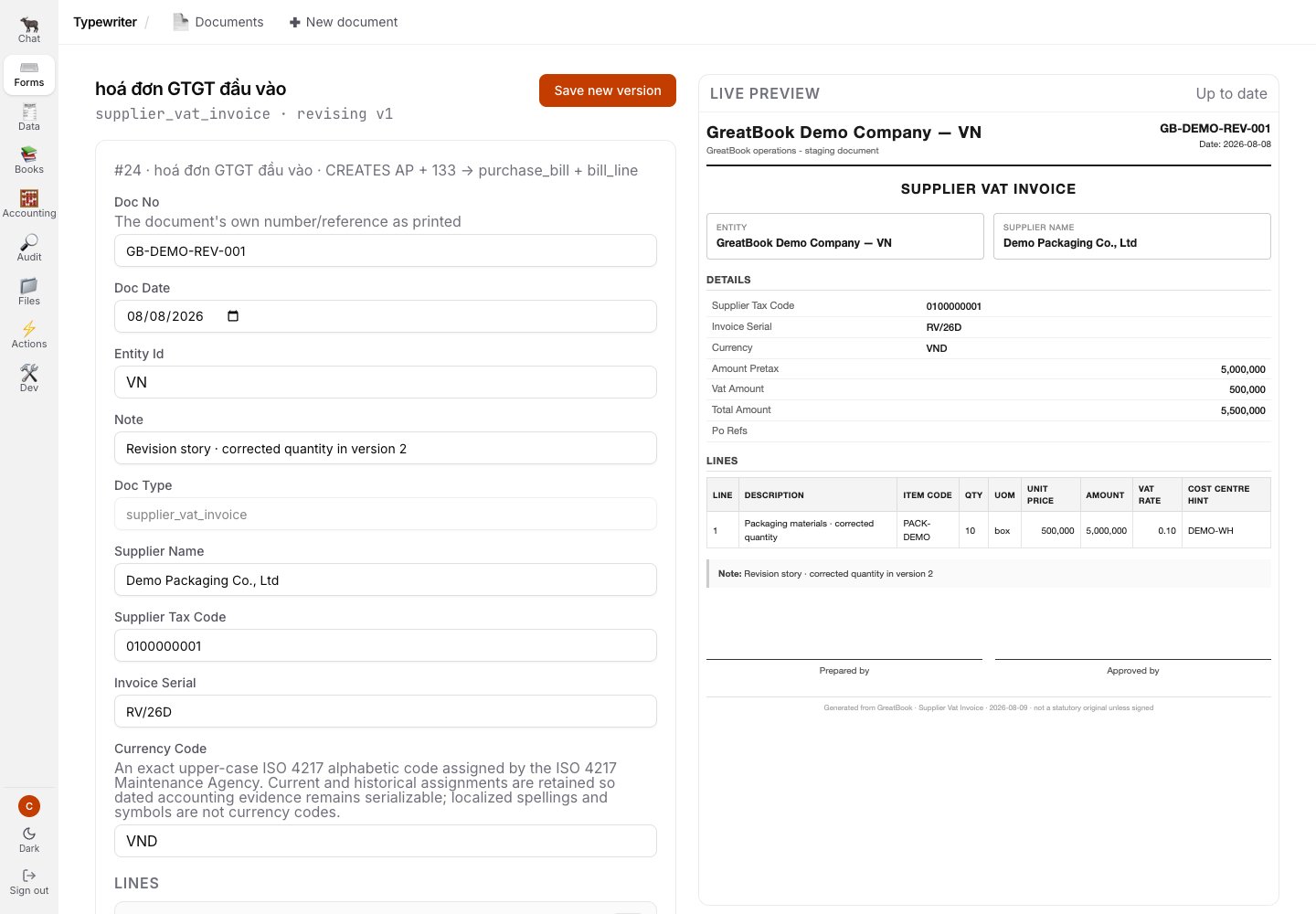
The corrected quantity and note appear in the live v2 preview before save.
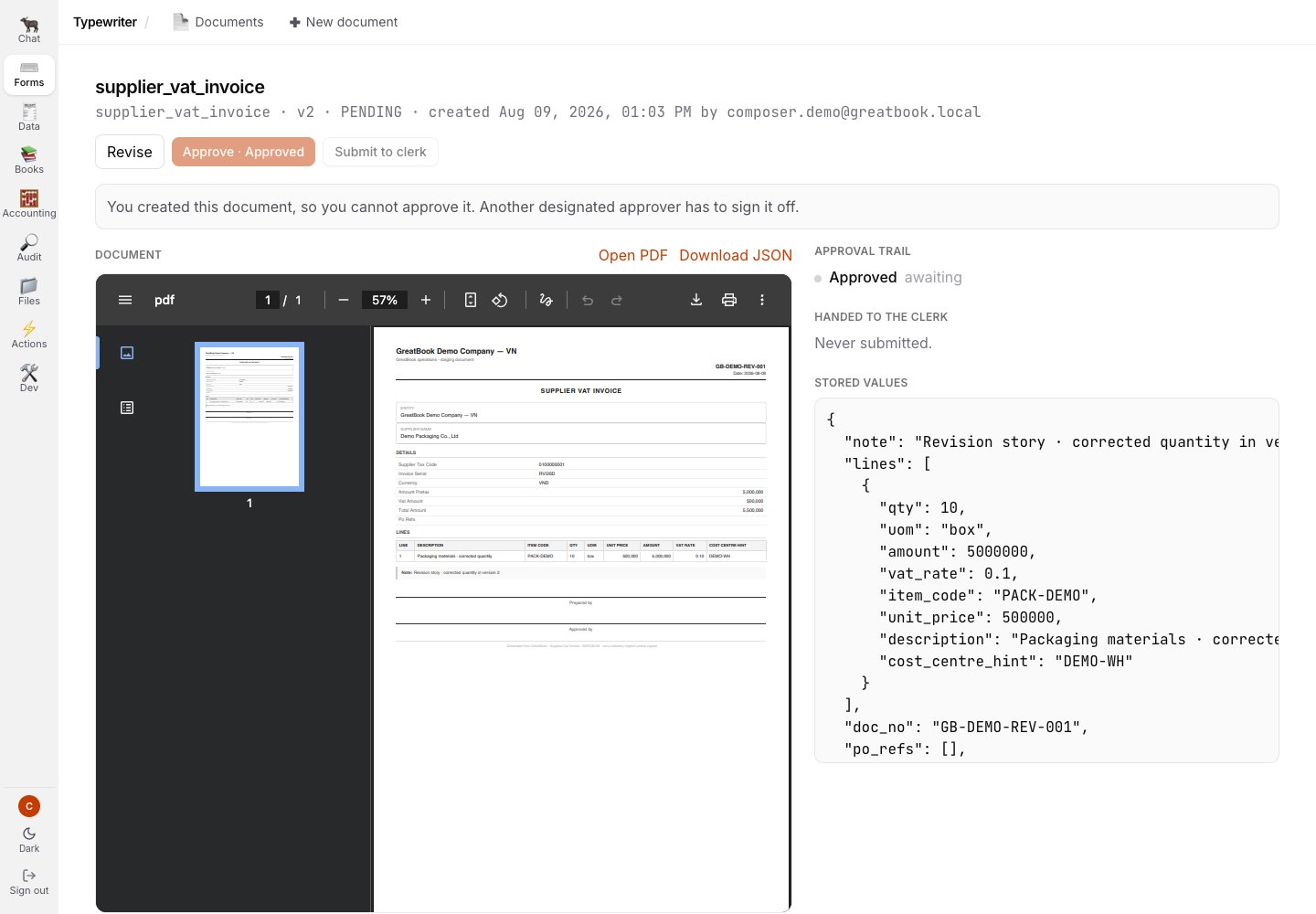
The saved correction is v2 and still needs its own approval.
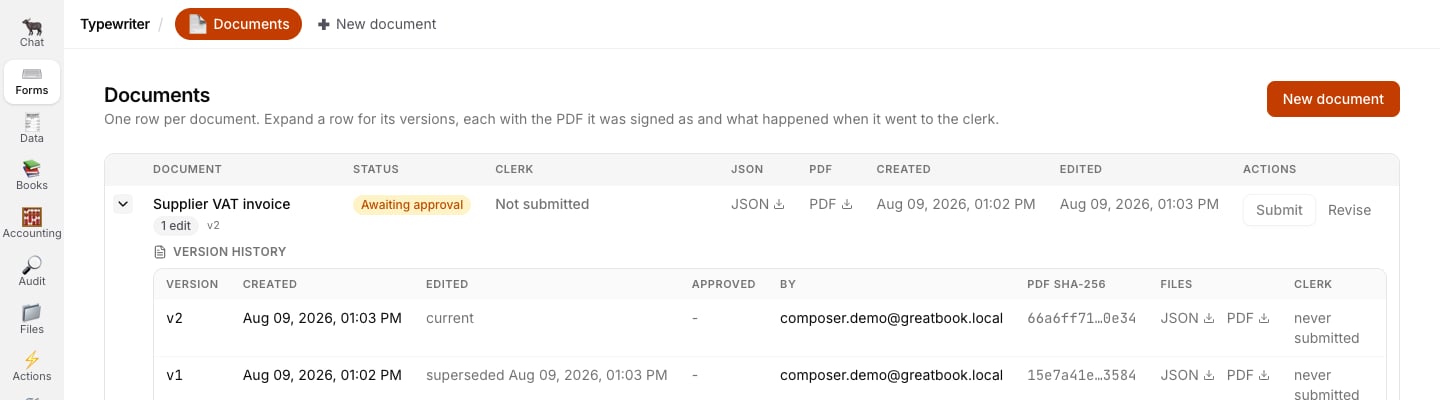
Version history identifies v2 as current and v1 as superseded; neither record is erased.
Related
- The golden path - the observed compose-and-sign sequence
- Working the review inbox - the reference guide to review decisions
- The seven guarantees - the ledger writer’s enforced refusals