

2 · Sign it
What you are doing. Attesting, as a named person, that this document is what it says it is. Approval is a separate person’s job. When the document was composed by someone else, a designated approver sees an enabled Approve button on the same page the author saw blocked.The approver’s view
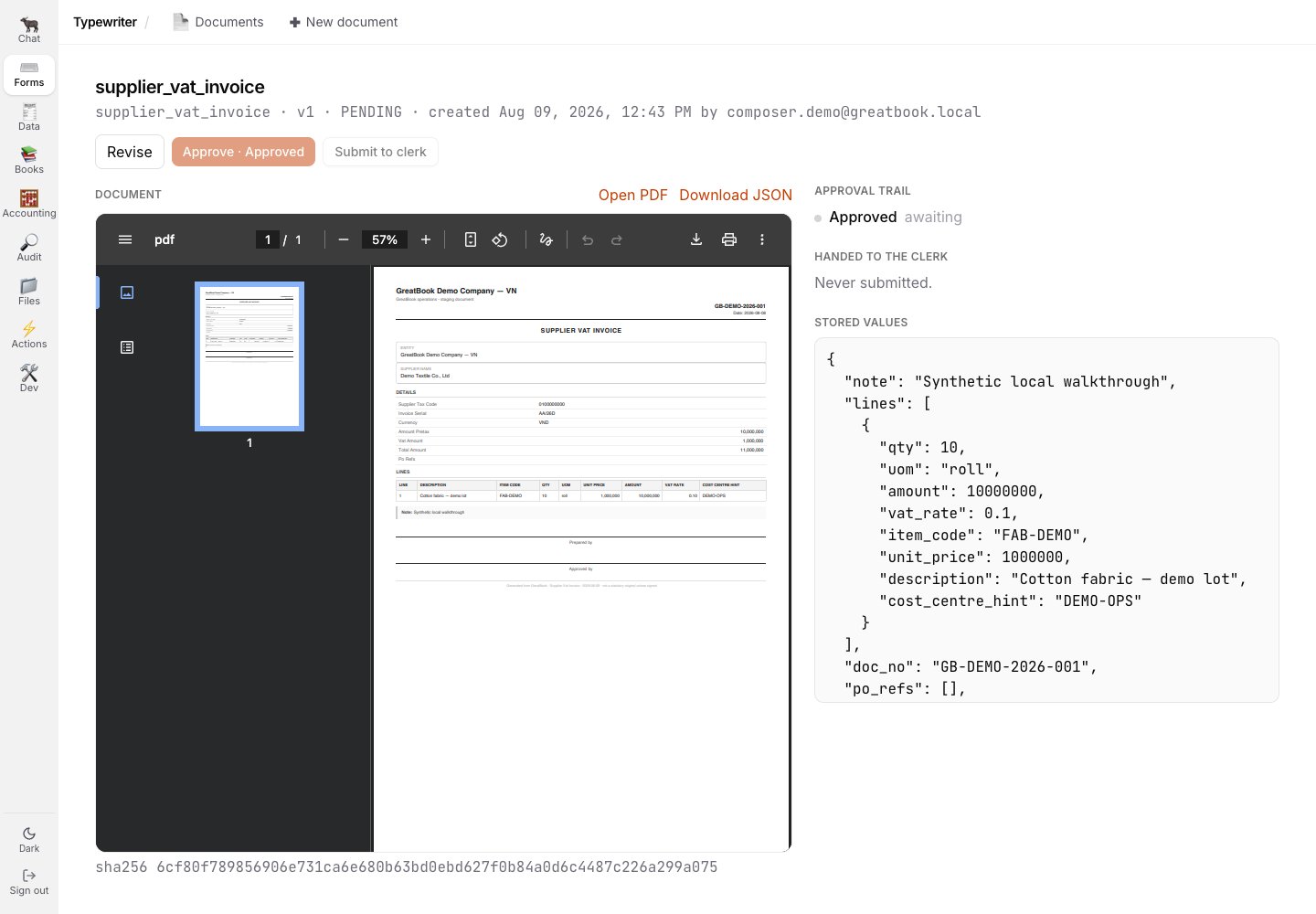
A designated approver sees the document, stored values, and approval action together.
That request takes no body.
There is nothing for the caller to choose: which approval step is next is a fact about the chain and
the trail, and who is approving is a fact about the session.
A body would only offer both of those as things to get wrong.
What just happened underneath
The approval does not simply set a flag. It re-hashes the stored PDF bytes and records the approval against that hash. That is what makes “what I approved is what I saw” structural rather than a promise. The preview, the stored PDF and the hash all come from one render path, so there is no seam where the bytes an approver looked at and the bytes the system kept could differ.How the byte-identity seam works
One render path, hashed at save, re-hashed at approval, attested in the trail.
What you cannot do here, and why
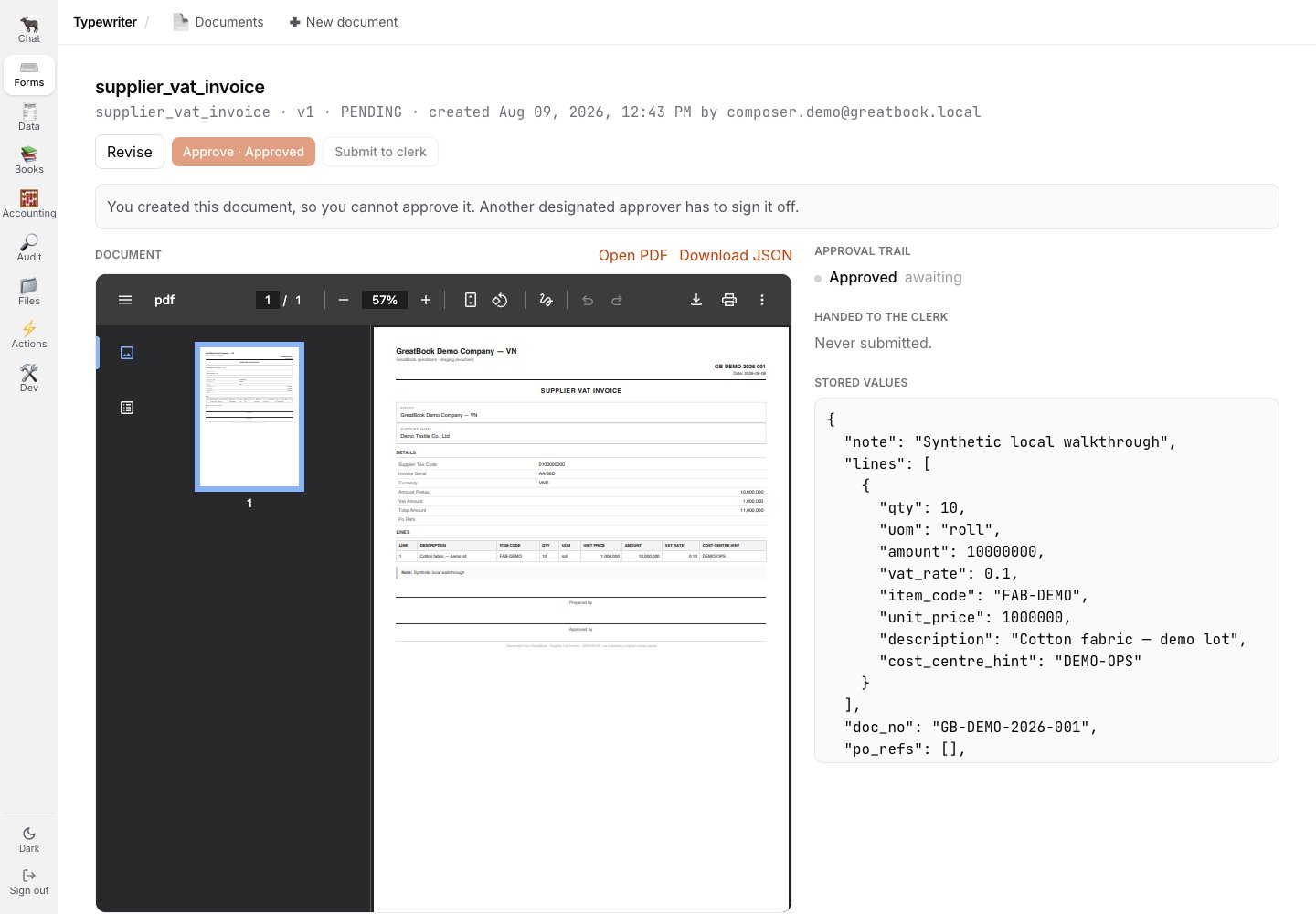
The author sees the enforced maker-checker rule on the document itself.
The trail names the signer.
Each completed approval step carries its approver identity and approval time.
When GreatBook can resolve the final approver’s user id through the trusted identity store it shows the person’s identity; otherwise it shows the recorded stable user id rather than guessing a name.
The same append-only approval evidence is what approval-sensitive Books registers use.
Versions, edits, and what Revise does
Revise creates the next version of the document. The previous one is marked superseded and can no longer be approved or submitted, so there can never be two approved versions of one document. Expand any row’s chevron in the documents table to see the whole history.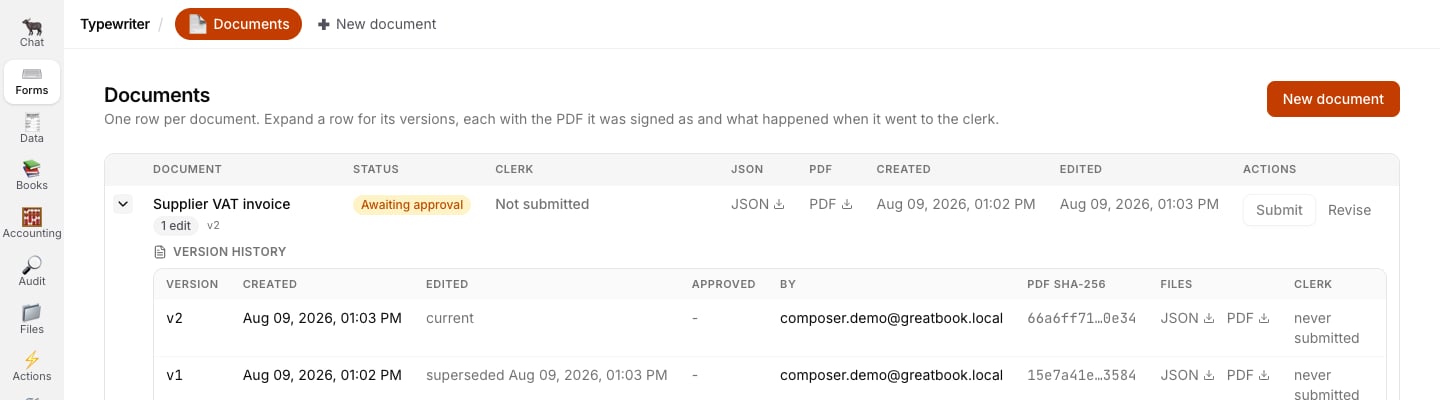
The corrected v2 is current while v1 remains visible as superseded.
In the version history, By is the author.
Open the document’s approval trail for the named signer and step evidence.
Next
3 · Hand it to the Clerk
One button, and the handoff becomes part of the document’s permanent record.
Related
- Who does what - why maker is not checker, and why the old rule was decorative
- 1 · Compose the document