> ## Documentation Index
> Fetch the complete documentation index at: https://docs.vinmake.com/llms.txt
> Use this file to discover all available pages before exploring further.
# The golden path
> The observed document journey on the current product, from choosing a schema through a separate approval.
# The golden path
The full product path has six parts: compose, sign, hand to the Clerk, intake approval, Bookkeeper draft, and posting approval.
This current-branch walkthrough reached and records the first two.
It stops rather than filling the remaining four parts with older captures or an invented demo state.
[Typewriter to posted journal entry](/greatbook/technical/typewriter-to-ledger) traces all six parts in source and states separately what was not verified in the deployed product.
| Part | Capture status |
| ------------------------------------- | ----------------------------------------------------- |
| 1 · Compose | Observed and pictured |
| 2 · Sign | Observed and pictured |
| 3 · Hand to the Clerk | Not observed successfully on the current local branch |
| 4 · Intake approval | Not reached |
| 5 · Bookkeeper draft | Not reached |
| 6 · Posting approval and posted entry | Not reached |
## 1 · Choose the document
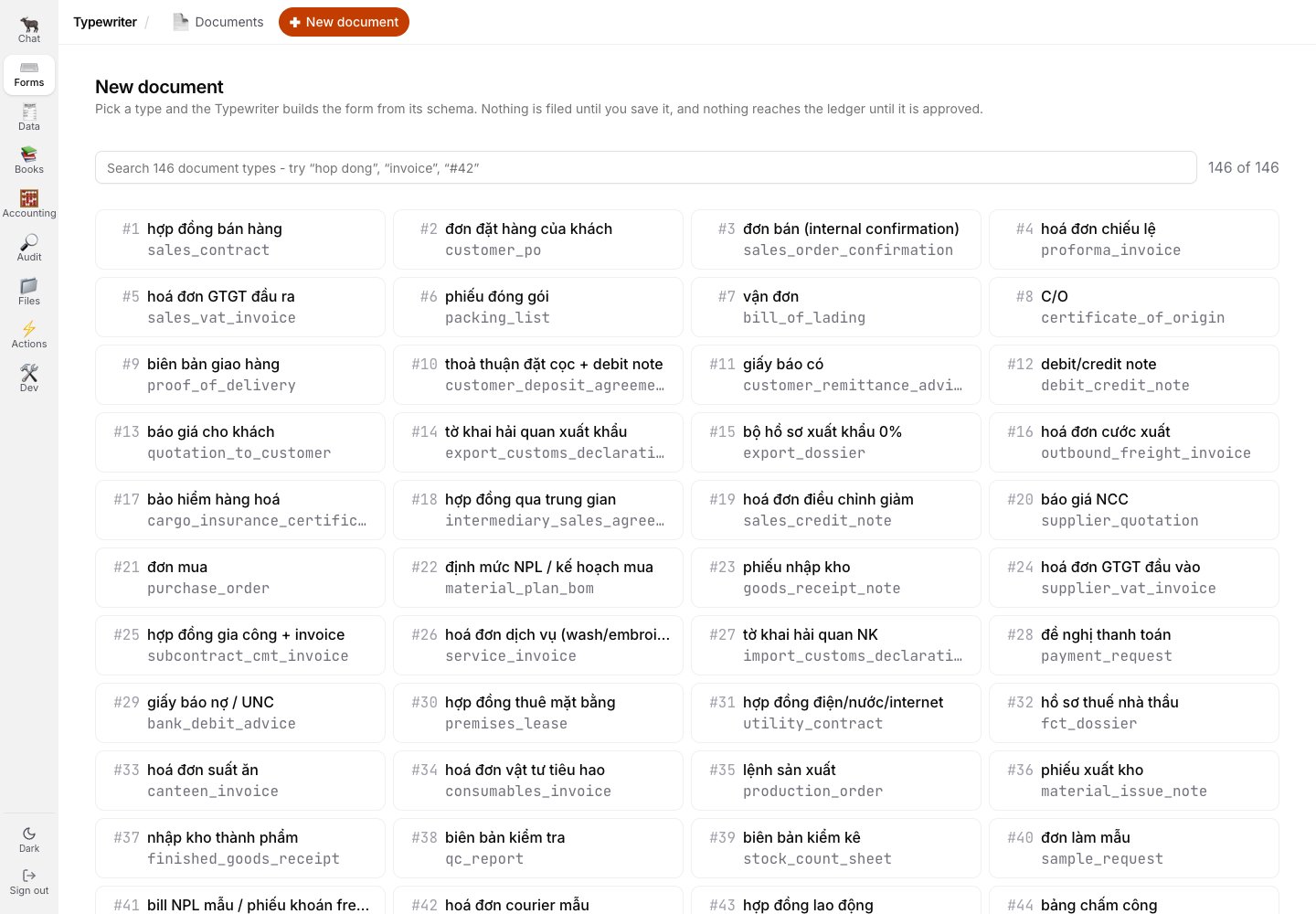
The Typewriter exposes its schema registry directly.
For this walk, the user chose a supplier VAT invoice from the complete registry.
 ## 2 · Compose against the live document
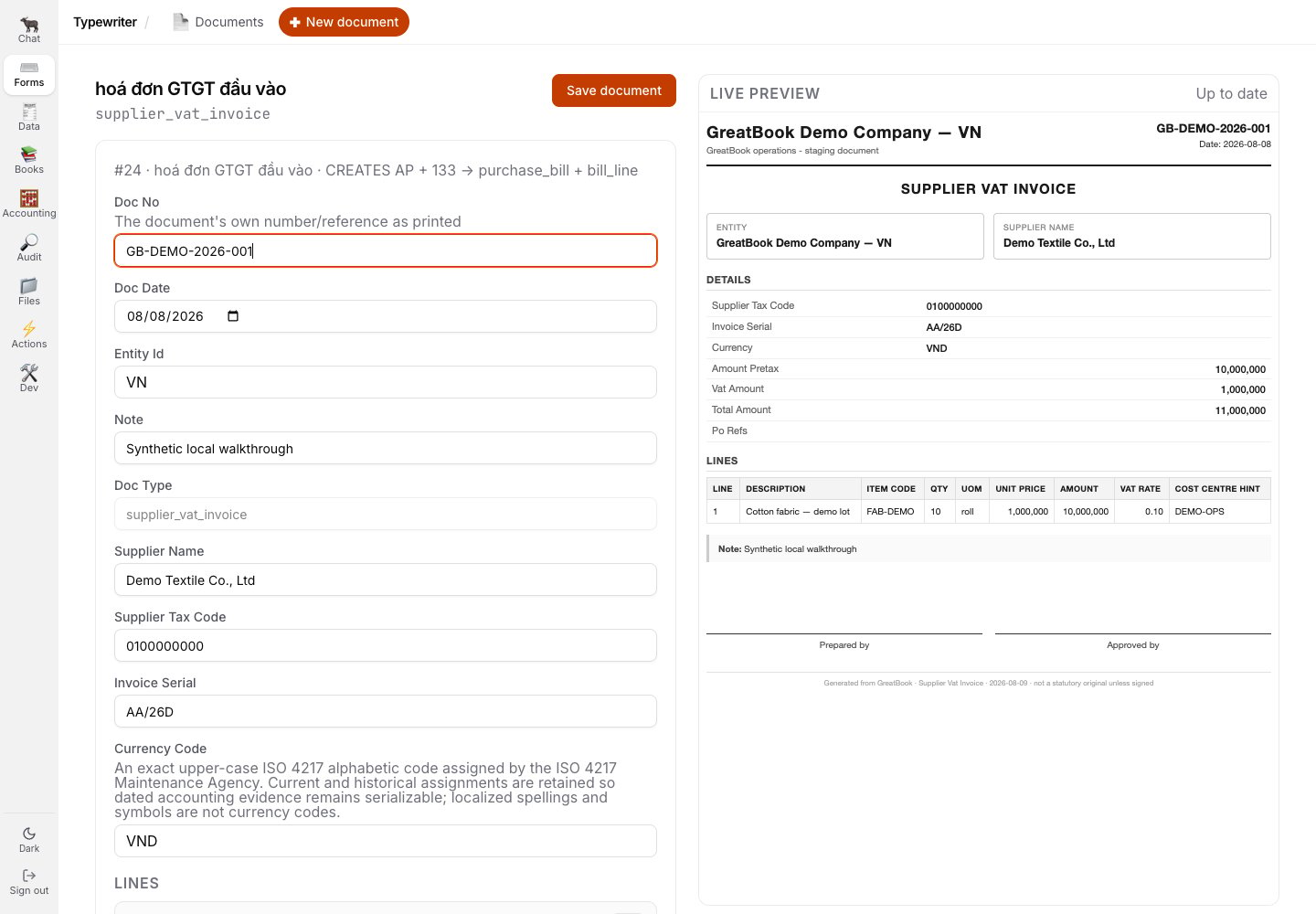
The form and the document move together.
The walked invoice uses synthetic demo values and one line item; the preview is the document the next person will inspect.
## 2 · Compose against the live document
The form and the document move together.
The walked invoice uses synthetic demo values and one line item; the preview is the document the next person will inspect.
 The same screen refuses an empty save.
That control is shown in [Refusals and revisions](/greatbook/guides/refusals-and-revisions).
## 3 · Save, then stop the maker at approval
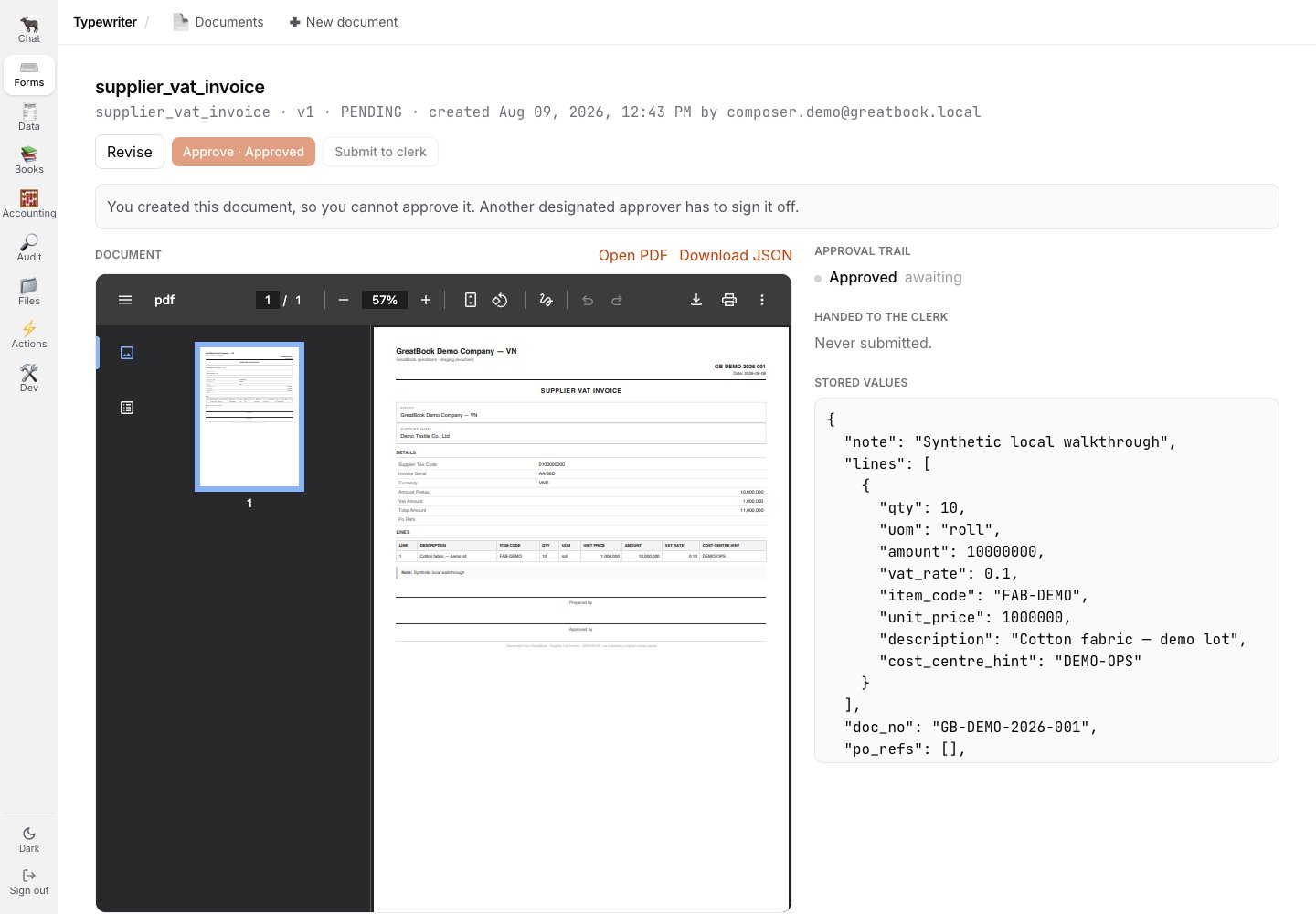
Saving creates the document detail with the rendered PDF, the approval trail, handoff state, and stored values together.
The author sees the rule immediately: another designated approver has to sign.
The same screen refuses an empty save.
That control is shown in [Refusals and revisions](/greatbook/guides/refusals-and-revisions).
## 3 · Save, then stop the maker at approval
Saving creates the document detail with the rendered PDF, the approval trail, handoff state, and stored values together.
The author sees the rule immediately: another designated approver has to sign.
 ## 4 · A separate approver inspects the same document
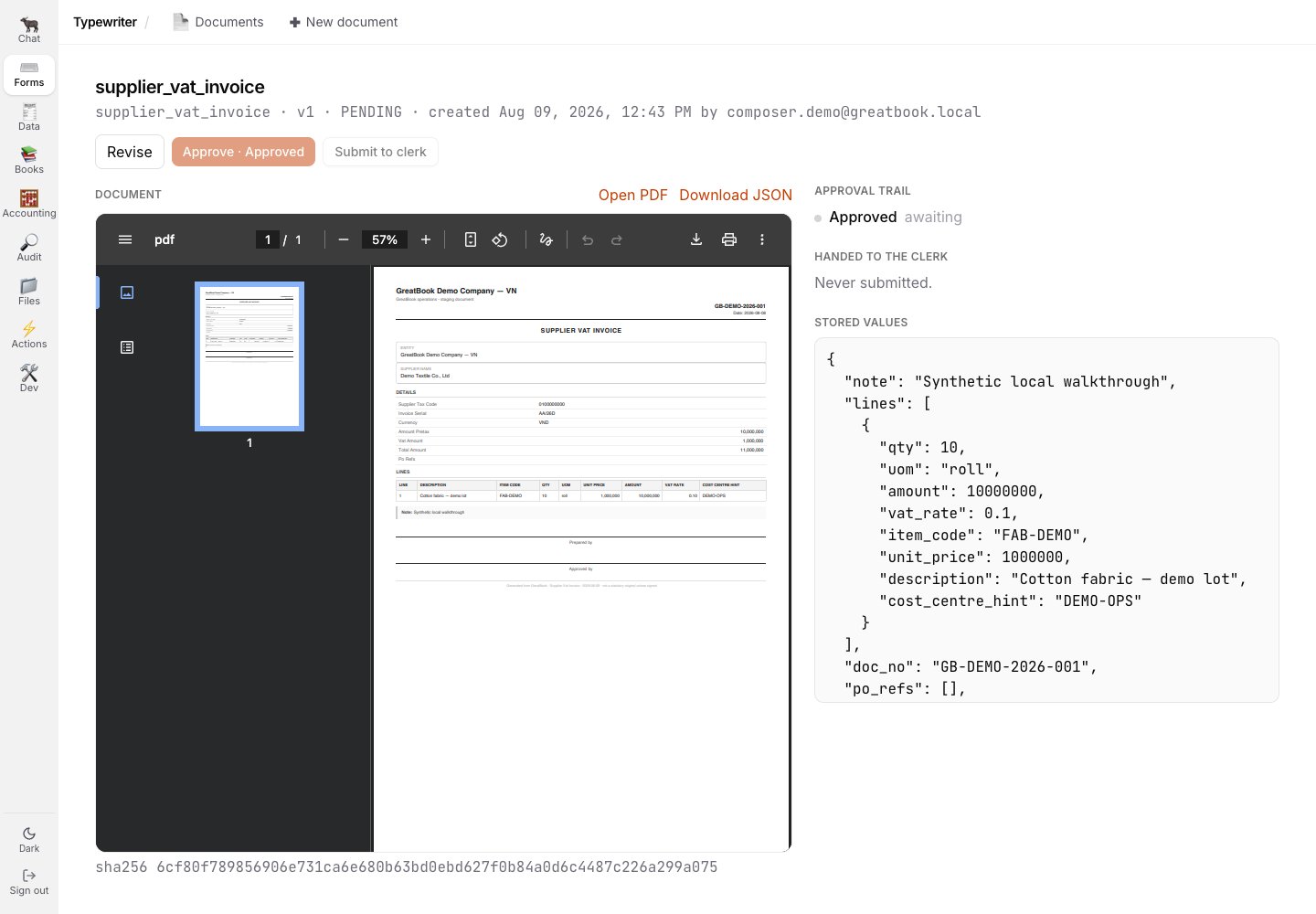
The designated approver sees the same PDF and stored values with the approval action available.
## 4 · A separate approver inspects the same document
The designated approver sees the same PDF and stored values with the approval action available.
 ## 5 · Approval is visible before handoff
Back in Documents, the row is **Approved** and the handoff remains a separate next action.
That boundary is visible without implying that the document is already in review or in the ledger.
## 5 · Approval is visible before handoff
Back in Documents, the row is **Approved** and the handoff remains a separate next action.
That boundary is visible without implying that the document is already in review or in the ledger.
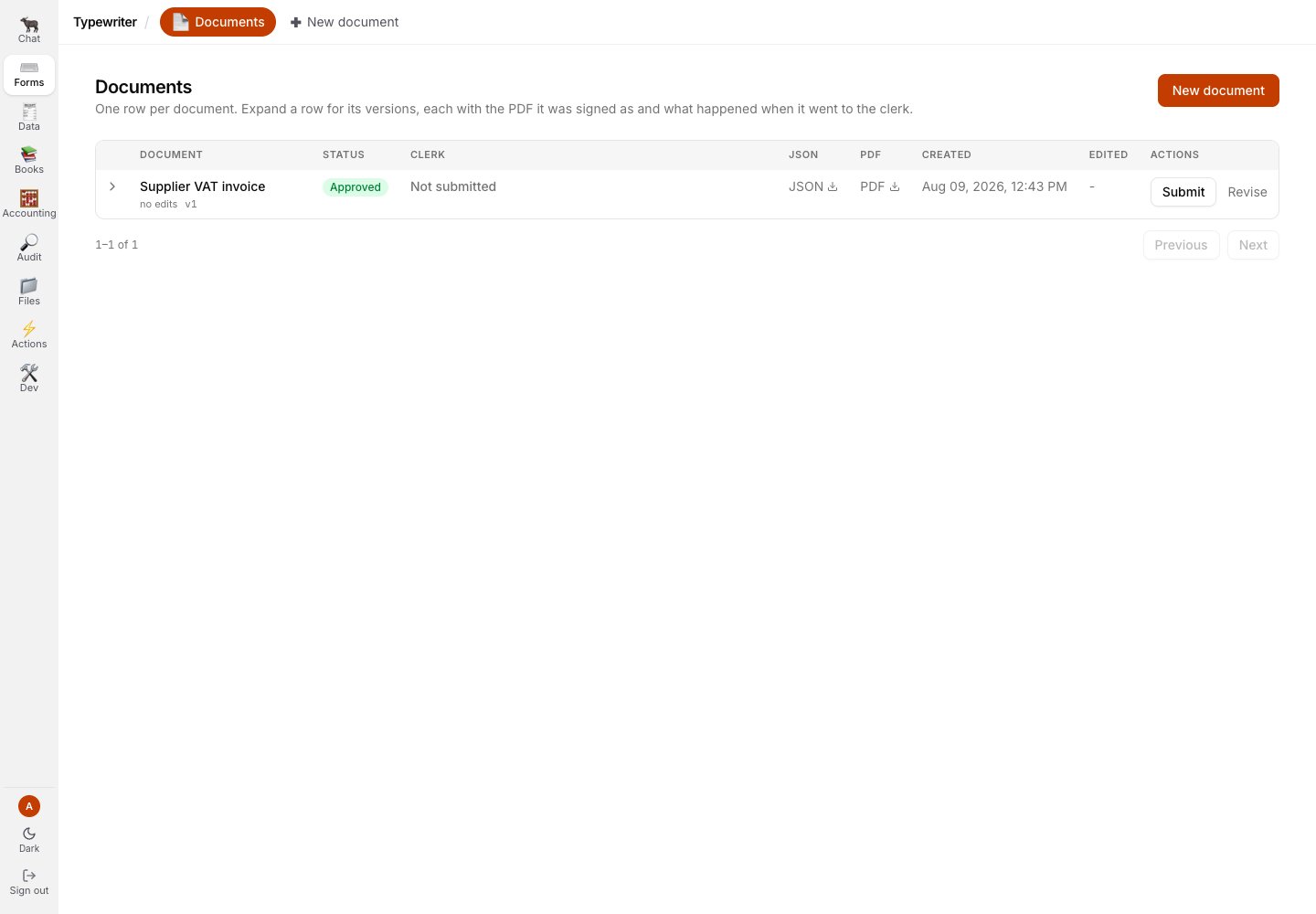 The visual walkthrough ends here because the next operation did not complete on the local current branch.
No current screenshot in this guide claims an intake row, a draft entry, a posting approval, or a posted ledger entry.
## Related
* [1 · Compose the document](/greatbook/guides/compose-a-document)
* [2 · Sign it](/greatbook/guides/approve-a-document)
* [Refusals and revisions](/greatbook/guides/refusals-and-revisions)
* [The product, screen by screen](/greatbook/guides/product-tour)
* [Typewriter to posted journal entry](/greatbook/technical/typewriter-to-ledger) - the source-traced technical path beyond the visual evidence
The visual walkthrough ends here because the next operation did not complete on the local current branch.
No current screenshot in this guide claims an intake row, a draft entry, a posting approval, or a posted ledger entry.
## Related
* [1 · Compose the document](/greatbook/guides/compose-a-document)
* [2 · Sign it](/greatbook/guides/approve-a-document)
* [Refusals and revisions](/greatbook/guides/refusals-and-revisions)
* [The product, screen by screen](/greatbook/guides/product-tour)
* [Typewriter to posted journal entry](/greatbook/technical/typewriter-to-ledger) - the source-traced technical path beyond the visual evidence